| HomeTurtlegraficsGPanelRoboticsGameGrid WebTigerPython |
| Python - Online |
| Deutsch English |
8. MOUSE EVENTS

YOU LEARN HERE... |

how to trigger mouse-controlled actions with mouse events. These are very important in interactive games. In so-called callback functions (or callbacks for short), you define what should happen when a mouse button is pressed, released or the mouse is moved. The callbacks are not called by your own programme, but automatically by the system when the mouse button is pressed. |
EXAMPLES |
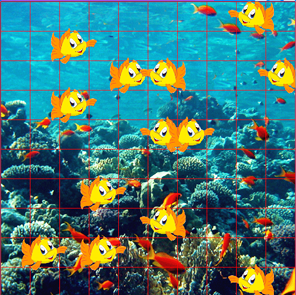
| Example 1: Pressing the mouse button creates a new fish |
Program: # Gg8.py from gamegrid import * # ---------------- class Fish ---------------- class Fish(Actor): def __init__(self): Actor.__init__(self, "sprites/nemo.gif"); def act(self): self.move() if not self.isMoveValid(): self.turn(180) self.setHorzMirror(not self.isHorzMirror()) # ---------------- main ---------------------- def pressCallback(e): location = toLocation(e.getX(), e.getY()) addActor(Fish(), location) makeGameGrid(10, 10, 60, Color.red, "sprites/reef.gif", False, mousePressed = pressCallback) show() doRun() Example 2: Move balls with the mouse button pressed
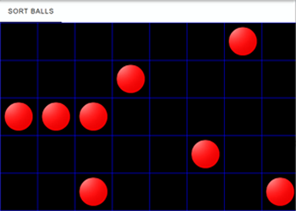
Since the actor variable is used in both functions, it must be declared as global. The two callback functions are registered when the game window is created. Program: # Gg8a.py from gamegrid import * def pressCallback(e): global actor location = toLocationInGrid(e.getX(), e.getY()) actor = getOneActorAt(location) def dragCallback(e): if actor == None: return location = toLocationInGrid(e.getX(), e.getY()) actor.setLocation(location) makeGameGrid(8, 5, 80, Color.blue, False, mousePressed = pressCallback, mouseDragged = dragCallback) setTitle("Sort Balls") for i in range(8): ball = Actor("sprites/token_1.png") addActor(ball, getRandomEmptyLocation()) show() doRun() Beispiel 3: Moving objects continuously
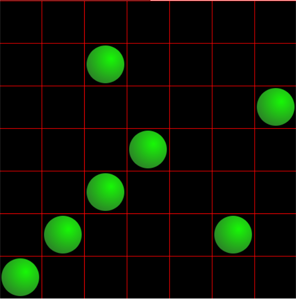
Program: #Gg8b.py from gamegrid import * def pressCallback(e): global actor, startLoc startLoc = toLocationInGrid(e.getX(), e.getY()) actor = getOneActorAt(startLoc) def dragCallback(e): if actor == None: return startPoint = toPoint(startLoc) actor.setLocationOffset(e.getX()-startPoint.x,e.getY()-startPoint.y) def releaseCallback(e): if actor == None: return destLoc = toLocationInGrid(e.getX(), e.getY()) actor.setLocationOffset(0, 0) actor.setLocation(destLoc) makeGameGrid(7, 7, 70, Color.red, False, mousePressed = pressCallback, mouseDragged = dragCallback, mouseReleased = releaseCallback) setTitle("Sort Balls") for i in range(7): ball = Actor("sprites/marble.png") addActor(ball, getRandomEmptyLocation()) actor = None startLoc = None show() doRun() |
REMEMBER YOU... |
| In the callback functions, you define what should happen when the user presses the mouse button, moves the mouse with the mouse button pressed, or releases the mouse button. These functions are registered when the game window is created and are called directly by the system, not by the programme. |
TO SOLVE BY YOURSELF |
|
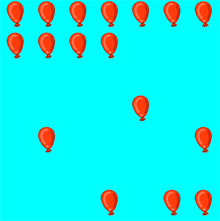
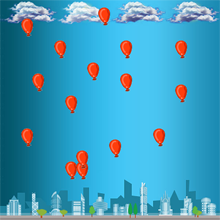
 |
 |
 |