| Deutsch English |
YOU LEARN HERE... |
how characters can move within a grid, i.e. from cell to cell, towards the object they are following. |
EXAMPLES |
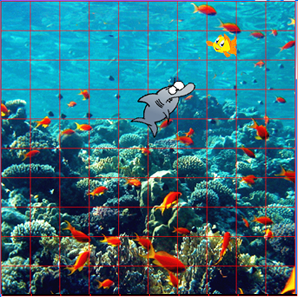
| Example: A shark tracks Nemo |
This method receives the position of the pursued object as a parameter. Program: # Gg7.py from gamegrid import * # --------------------- class Fish --------------------- class Fish(Actor): def __init__(self): Actor.__init__(self, "sprites/snemo.gif") def act(self): self.move() if self.getX() == 9: self.turn(180) self.setHorzMirror(True) if self.getX() == 0: self.turn(180) self.setHorzMirror(False) # --------------------- class Shark --------------------- class Shark(Actor): def __init__(self): Actor.__init__(self, True, "sprites/shark.gif") def act(self): if self.nbCycles % 5 == 0 and not nemo.isRemoved(): self.setDirection(self.getLocation(). getCompassDirectionTo(nemo.getLocation())) self.move() aNemo = getOneActorAt(self.getLocation(), Fish) if aNemo != None: aNemo.removeSelf() makeGameGrid(10, 10, 60, Color.red, "sprites/reef.gif", False) nemo = Fish() addActor(nemo, Location(0, 1)) shark = Shark() addActor(shark, Location(7, 9)) show() doRun() |
REMEMBER YOU... |
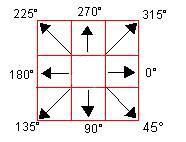
| neighbouring cells at each step. The optimal direction is determined using the method getCompassDirectionTo(). To move the pursuer more slowly, you can execute the movement only every fifth simulation cycle in its method act().
|
TO SOLVE BY YOURSELF |
|
 |
 |
 |