| Deutsch English |
GAME DESCRIPTION |
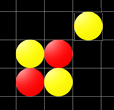
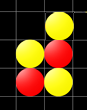
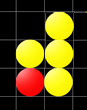
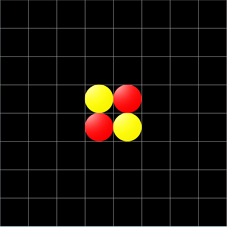
When a stone is placed, all opposing stones that are in rows or diagonals between the new stone and stones of your own colour that have already been placed are turned over. The aim of the game is to have as many of your own stones on the board as possible at the end. The game is over when all cells are occupied. Program: # Reversi.py from gamegrid import * # Checks endOfGame def endOfGame(): countYellow = 0 countRed = 0 all = getOccupiedLocations() for lc in all: if getOneActorAt(lc).getIdVisible() == 0: countYellow += 1 else: countRed += 1 if len(all) == 64: if countRed > countYellow: setTitle("Red wins - "+str(countRed)+":"+str(countYellow)) elif countRed < countYellow: setTitle("Yellow wins - "+str(countYellow)+":"+str(countRed)) else: setTitle("The game ended in a tie") #Checks if cell has a neighbour in the north, east, south or west def hasNeighbours(loc): locs = toList(loc.getNeighbourLocations(0.5)) for i in range(4): if getOneActorAt(locs[i]) != None: return True return False # set stone def onMousePressed(e): global imageID location = toLocationInGrid(e.getX(), e.getY()) if getOneActorAt(location) == None and hasNeighbours(location): stone = Actor("sprites/token.png", 2) addActor(stone, location) stone.show(imageID) # Check stones in all 8 directions and if can be turned add list for c in range (0, 360, 45): actors = [] loc = location.getNeighbourLocation(c) a = getOneActorAt(loc) hasSameImageID = False while a != None and not hasSameImageID: if a.getIdVisible() != imageID: actors.append(a) loc = loc.getNeighbourLocation(c) a = getOneActorAt(loc) else: if a.getIdVisible() == imageID: hasSameImageID = True # Turn stones if hasSameImageID: for actor in actors: actor.show(imageID) refresh() # Change player if imageID == 0: imageID = 1 setTitle("Red plays") else: imageID = 0 setTitle("Yellow plays") endOfGame() refresh() return True makeGameGrid(8, 8, 60, Color.gray, False, mousePressed = onMousePressed) setTitle("Reversi") yellow = Actor("sprites/token.png", 2) yellow2 = Actor("sprites/token.png", 2) red = Actor("sprites/token.png", 2) red2 = Actor("sprites/token.png", 2) addActor(yellow, Location(3, 3)) addActor(yellow2, Location(4, 4)) addActor(red, Location(4, 3)) addActor(red2, Location(3, 4)) yellow.show(0) yellow2.show(0) red.show(1) red2.show(1) imageID = 0 show() doRun() |
Explanations of the programme code |
|
 |
 |
 |