| Deutsch English |
YOU LEARN HERE... |
precise collision detection using so-called pixel collisions. Unlike grid collisions, where two actors are located in the same cell, here two actors collide when at least two pixels of their figures overlap. The GameGrid module provides the necessary functions to detect such collisions. |
EXAMPLES |
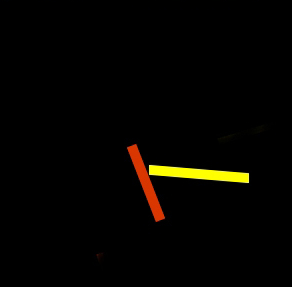
| Example 1: Two rectangular figures move freely in the game window and reflect off the window edge. When they collide, a sound is emitted and the two sticks change their direction of movement by 180°. |
Program: from gamegrid import * from soundsystem import * # --------------------- class Stick ---------------------------------- class Stick(Actor): def __init__(self): Actor.__init__(self, True, "sprites/stick.gif", 2) def act(self): step = 1 loc = self.getLocation() dir = (self.getDirection() + step) % 360; if loc.x < 50: dir = 180 - dir self.setLocation(Location(55, loc.y)) if loc.x > 450: dir = 180 - dir self.setLocation(Location(445, loc.y)) if loc.y < 50: dir = 360 - dir self.setLocation(Location(loc.x, 55)) if loc.y > 450: dir = 360 - dir self.setLocation(Location(loc.x, 445)) self.setDirection(dir) self.move() def collide(self, actor1, actor2): actor1.setDirection(actor1.getDirection() + 180) actor2.setDirection(actor2.getDirection() + 180) play() return 10 # --------------------- main ----------------------------------------- makeGameGrid(500, 500, 1, False) setSimulationPeriod(10) stick1 = Stick() addActor(stick1, Location(200, 200), 30) stick2 = Stick() addActor(stick2, Location(400, 400), 30) stick2.show(1) stick1.addCollisionActor(stick2) show() doRun() openSoundPlayer("wav/ping.wav")
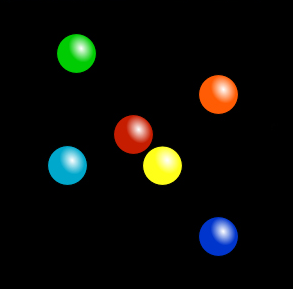
Program: from gamegrid import * from soundsystem import * from random import randint # --------------------- class Ball ---------------------------------- class Ball(Actor): def __init__(self): Actor.__init__(self, True, "sprites/peg.png", 5) def act(self): step = 1 loc = self.getLocation() dir = (self.getDirection() + step) % 360; if loc.x < 20: dir = 180 - dir self.setLocation(Location(20, loc.y)) if loc.x > 480: dir = 180 - dir self.setLocation(Location(478, loc.y)) if loc.y < 20: dir = 360 - dir self.setLocation(Location(loc.x, 22)) if loc.y > 480: dir = 360 - dir self.setLocation(Location(loc.x, 478)) self.setDirection(dir) self.move() def collide(self, actor1, actor2): actor1.setDirection(actor1.getDirection() + 180) actor2.setDirection(actor2.getDirection() + 180) play() return 10 # --------------------- main ----------------------------------------- makeGameGrid(500, 500, 1, False) setSimulationPeriod(10) balls = [] for i in range(5): ball = Ball() ball.show(i) addActor(ball, Location(randint(30, 470), randint(30, 470))) balls.append(ball) for i in range(5): for k in range(i + 1, 5): balls[i].addCollisionActor(balls[k]) openSoundPlayer("wav/ping.wav") show() doRun()
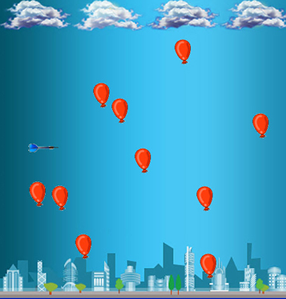
Program: from gamegrid import * from soundsystem import * from random import randint # --------------------- class Dart -------------------------- class Dart(Actor, GGMouseListener): def __init__(self): Actor.__init__(self, True, "sprites/dart.gif") self.oldLocation = Location() def mouseEvent(self, e): location = toLocationInGrid(e.getX(),e.getY()) self.setLocation(location) self.oldLocation.x = location.x self.oldLocation.y = location.y def collide(self, actor1, actor2): play() actor2.removeSelf() return 5 # --------------------- main ----------------------------------- makeGameGrid(600, 600, 1, None, "sprites/town.jpg", False) setTitle("Move dart with mouse to pick the balloon") setSimulationPeriod(50) dart = Dart() addActor(dart, Location(100, 300)) addMouseListener(dart, GGMouse.lDrag) for i in range(20): balloon = Actor("sprites/balloon.gif") addActor(balloon, Location(randint(50,550),randint(50,550))) dart.addCollisionActor(balloon) show() openSoundPlayer("wav/explode.wav") doRun() |
REMEMBER YOU... |
| Collisions are recorded as events. The method collide(self, actor1, actor2) is called, which defines what should happen when the two actors collide. |
TO SOLVE BY YOURSELF |
|
 |
 |
 |